Chris Mospaw

Most business owners have vendors they work with regularly. You recognize the company, the names, the invoices, and the email addresses. Then one day an email arrives: “We’ve changed our banking information. Please send future payments to this new account.” That may be completely legitimate. It is also exactly the kind of request you should verify before doing anything. A Familiar Email Is Not Enough Fraudulent payment requests can be surprisingly convincing. Sometimes a criminal creates an email address that looks almost identical to…

A slow computer can make ordinary work frustrating. When you’re waiting for a program to open or struggling to switch between tasks, replacing it can seem like the obvious answer. But a new computer isn’t always the best use of your budget. Sometimes the machine you already own can meet your needs with a targeted upgrade. The key is knowing what’s holding it back-and whether fixing that problem is a worthwhile investment. Start with the problem, not the parts “It’s slow” is a starting…
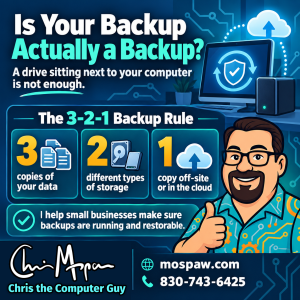
You have an external hard drive connected to your computer. Your important files are copied to it. So you’re backed up, right? Not necessarily. If your backup drive is sitting next to your computer, it may be vulnerable to the exact same problem that takes out the computer itself. A fire, theft, electrical problem, ransomware attack, accidental spill, or even simple human error could affect both copies at the same time. That’s why a good backup strategy needs more than just a second hard…

Windows 11. Yeah, that one. I regularly use for computer operating systems: Windows, Linux Mint, MacOS, and Chrome OS. Each one has has a distinct flavor, not to mention various advantages and disadvantages. Windows 10 is effectively dead, so Windows 11 remains the mainstream option for most users. Is it great “out of the box”? No, not really. It needs a few tweaks to make it more usable. But that’s personal taste and most people use it without any changes. It’s my “daily driver”…
Nobody wants to think about the unthinkable, but things happen all the time that threaten your digital health. It might be weather related, a power issue, or simple hardware failure. No matter what the issue, your data is at risk when it happens. A good disaster recovery plan will get you back on your feet quickly after something happens. We can provide a comprehensive evaluation of your current plan, or help you devise one that meets your needs and budget. Reach out today and…
Mattermost is a great Slack alternative that is easy to set up in a container on a Synology, but the default installation does not allow plugin uploads. This post shows you how to enable them quickly.
This post was originally written in 2018 and is out of date now. But a new and up-to-date post is coming soon. Both my work laptop and my personal laptop have 15.6-inch “full HD” screens, which are a decent size. But sometimes — especially when on the go — I’d like a little more screen real estate. Carrying an extra monitor isn’t practical, but I do have a 10-inch tablet that comes with me pretty much everywhere. It has a great (if small) screen…

Free and open source … from Microsoft? Yep. That’s Visual Studio Code, and I switched to it as my primary coding editor from Sublime Text 3. Why? It’s got killer features that Sublime doesn’t offer, and it’s a great editor.
The Linux terminal is one of those indispensable tools that I spent lots of time in. Linux Mint recently released a new version, 19, to replace 18.3. There were several good upgrades, including a major update to the Cinnamon window manager, so it was worthwhile to get the newer versions installed. Unfortunately, one of the things that changed was the behavior of the command prompt, and I don’t think the new version is an improvement. The regular user prompt stayed the same: But the…
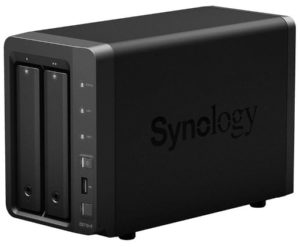
Please note that this story is from 2018, but is still accurate, even if it refers to a fairly old product. Soon after writing this, I had my DS718+ replaced with a DS918+ that has caching that works as it should. That was recently replaced (and made a secondary NAS) with a phenomenal DS1821+. The Synology DS718+ is one of Synology’s flagship models and it’s an excellent NAS with high-end features. One of those features is the ability to add SSD caching. After experimenting…
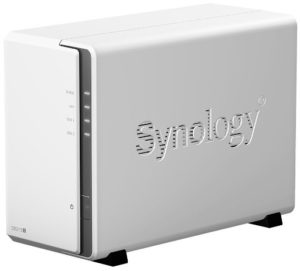
My Synology DS215j is a great little machine, and has been chugging along without issue for nearly 3 years. Being one of the least-expensive Synology NAS units, it’s also one of the least capable. It’s slow (but not sluggish), has limited memory, and some of the software available to bigger and badder units is not installable on the lesser units. None of this is an issue per se. It’s actually expected given the cost of entry. Even with its limitations, at around $179 (in…

Android and Apple’s iOS are both good mobile operating systems. I’ve always used Android since it just always seemed to agree with me better and Android phones have better features and technology.

When Linux is your main desktop OS, there are lots of choices for music players but most don’t work well or have odd limitations. Clementine is simple, works well, and can handle my library.
“The Cloud” is a big deal right now, but it’s really just your files on someone else’s computer. Cloud Station is a part of Synology’s NASes, and puts your files on your computer … but in also “the cloud”, a cloud that you own and control.

Having a basic NAS (Network Attached Storage) at home is great. Having one that adds some other neat features like your own personal cloud, a git server, and more … well that’s convenience on a new level.

WordPress needs some help here and there. Caching is certainly one of those areas. WP Super Cache is a quick and easy way to speed up your site.

Google Chrome has been around since 2008, and it was a compelling alternative to other browsers. It quickly gained huge market share. Lately, however, the other browsers are starting to catch up.

WordPress has reasonable security out of the box, but it’s frankly not enough. Having iThemes Security Pro ensures that my site is as secure as it can be.
Most systems, Linux included, have monitoring tools built in. Glances takes it to the next level.